
← Back to Muse Dash
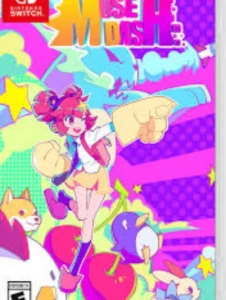
Muse Dash 6.2.0
List of available versions
| FileName | Size | Type |
|---|---|---|
| Muse Dash NSP | 502.3 MB | nsp |
Related ROMs


FAQs
Download the file and open your Nintendo Switch emulator (Yuzu or Ryujinx). Go to File → Load File and select the downloaded NSP or XCI file. Make sure you have prod.keys and the correct firmware installed in your emulator first.
NSZ and XCZ are compressed versions of NSP and XCI files. Decompress them first using NSZ Tool, then load as normal NSP/XCI in your emulator.
On a hacked Nintendo Switch with custom firmware, use Tinfoil or DBI Installer to install NSP files. Make sure Atmosphere CFW is installed and up to date.
If a link isn't working, wait a few minutes and retry. If the game won't boot, update your emulator and confirm the firmware version matches what's listed on the game page.